Here it is adding two movements using the center of mass.
Try for yourself with this APP “Center of Mass drawer”:
Imagine that your left hand draws to the left, your right hand draws to the right, and the drawing in the middle, the red curve, is the sum of your two drawings.
Or imagine, you draw to the left and a friend draws to the right, the red curve is the sum of your two drawings.
Red curve is the addition of two independent movements ! But does this exist ?
Below EXAMPLES of what Center of mass drawer can do.
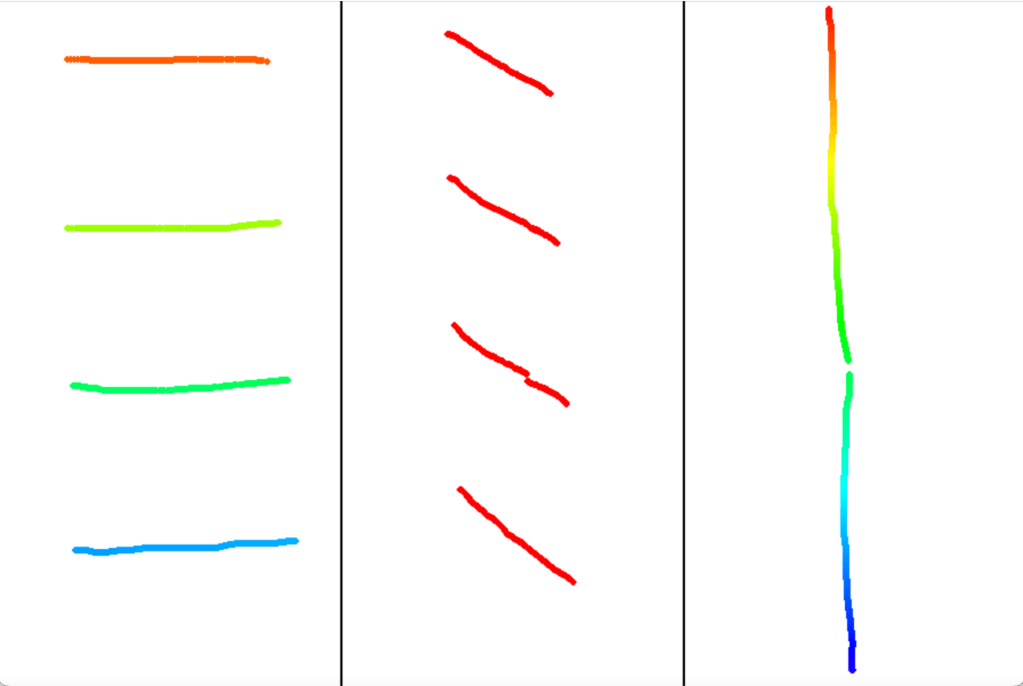
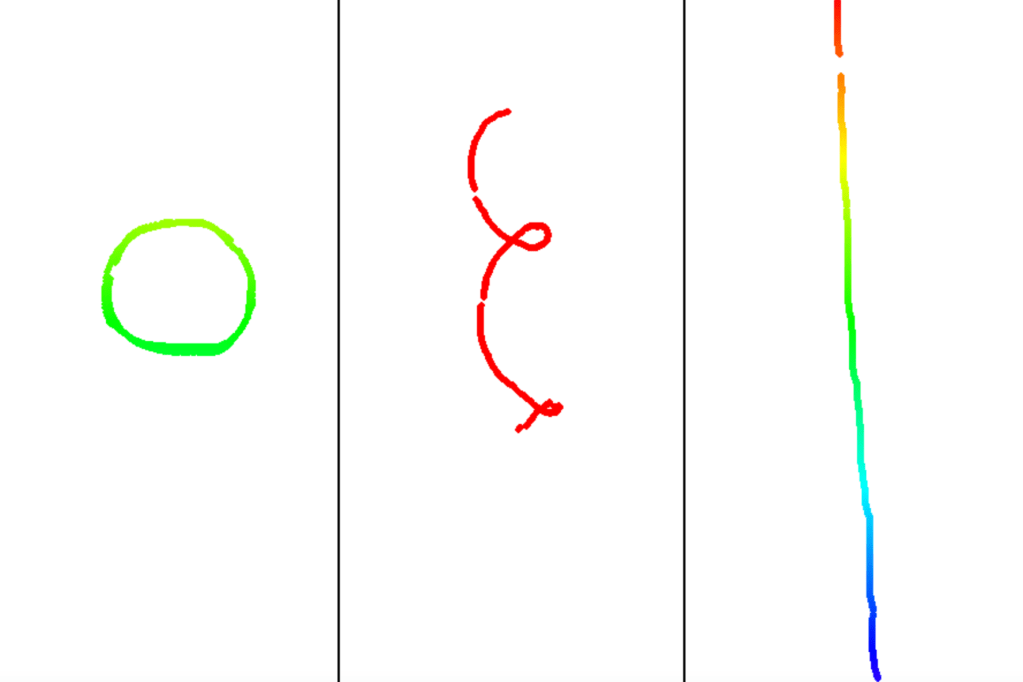
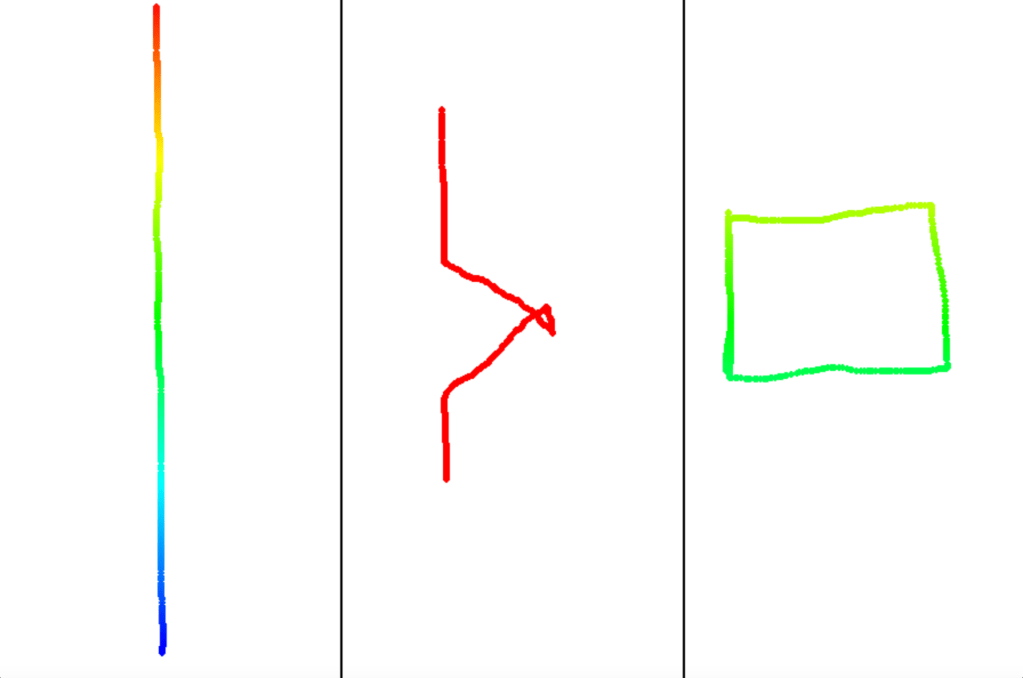
Red line is drawn by adding left and right trajectories. Red line is trajectory of center of mass of moving left point and moving right point.
With this python code below, one can draw using the center of mass as above.
Python code Chat GPT written with this initial prompt and a couple of iterations:
I would like to have a python code who does this :
1- two vertical black thin lines cut the screen in three identical areas
2- with my finger on the trackpad, I can define a line on the left area of the trackpad as defined before. while i am defining this line with my finger, position (xl(i), yl(i)) of my finger is simultaneously plotted in this left area, and is acquired in memory. x is the vertical axis;
3- with my finger on the trackpad, I can define a line on the right area of the trackpad as defined before. while i am defining this line with my finger, position (xr(i), yr(i)) of my finger is simultaneously plotted in this right area, and is acquired in memory
4- for each couple of point (xl(i), yl(i)) and (xr(i), yr(i)), the center of mass is calculated : xc(i)= (xr(i)+xl(i))/2 and yc(i)= (yr(i)+yl(i))/2 and plotted in central area of the screen as defined in 1
Initial idea : designer Maxime Bouton a few years ago during a workshop with designers at ESAD Grenoble/Valence about movement, gesture and tech.
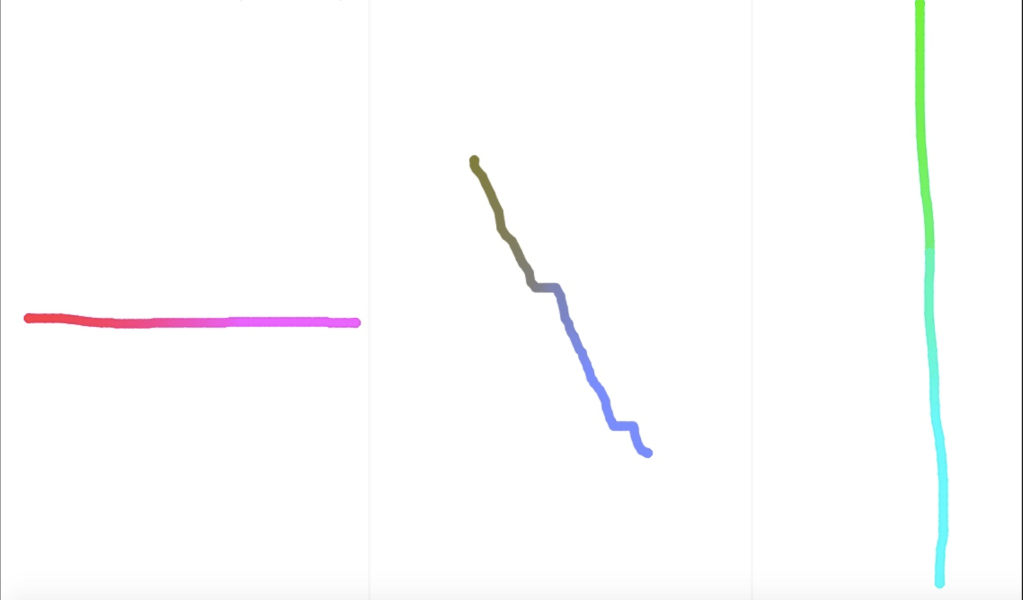
From wikipedia: In physics, the center of mass of a distribution of mass in space (sometimes referred to as the barycenter or balance point) is the unique point at any given time where the weighted relative position of the distributed mass sums to zero.
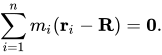
For two masses m1 and m2, the velocity of the center of mass is « simply » written as :
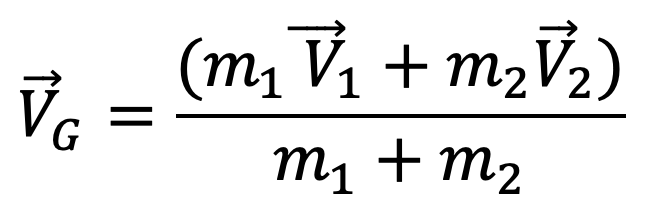
Movements of two things are then here easily added. In physics and maths… but think about it « in real life ». When do we consider adding movements of the distinct things ?
Here the red line is the sum of the left and the right movements. This red line exhibits surprising behaviors which can now be here explored.
Python code here at work :
# centroid-3lines-15-mai-2024.py

import pygame
import sys
import colorsys

Initialize Pygame

pygame.init()

Screen dimensions

width, height = 900, 600

Colors

black = (0, 0, 0)
white = (255, 255, 255)
red = (255, 0, 0)

Create the screen

screen = pygame.display.set_mode((width, height))
pygame.display.set_caption('Trackpad Line Drawer')

Define vertical line positions

line1_x = width // 3
line2_x = 2 * width // 3

Lists to store coordinates

left_coords = []
right_coords = []
center_coords = []

def draw_lines():
# Draw vertical dividing lines
pygame.draw.line(screen, black, (line1_x, 0), (line1_x, height), 2)
pygame.draw.line(screen, black, (line2_x, 0), (line2_x, height), 2)

def plot_point(x, y, color):
pygame.draw.circle(screen, color, (x, y), 3)

def clear_screen():
global left_coords, right_coords, center_coords
left_coords = []
right_coords = []
center_coords = []

def get_color(y, height):
# Get color based on the position y using a rainbow gradient
ratio = y / height
hue = ratio * 0.7 # 0.7 for yellow to purple range in HSV
r, g, b = colorsys.hsv_to_rgb(hue, 1.0, 1.0)
return int(r * 255), int(g * 255), int(b * 255)

def main():
running = True
drawing_left = False
drawing_right = False

while running:
    screen.fill(white)
    draw_lines()

    for event in pygame.event.get():
        if event.type == pygame.QUIT:
            running = False
        elif event.type == pygame.KEYDOWN:
            if event.key == pygame.K_c:  # Press 'C' key to clear the screen
                clear_screen()
        elif event.type == pygame.MOUSEBUTTONDOWN:
            if event.button == 1:  # Left mouse button
                if event.pos[0] < line1_x:
                    drawing_left = True
                elif event.pos[0] > line2_x:
                    drawing_right = True
        elif event.type == pygame.MOUSEBUTTONUP:
            if event.button == 1:  # Left mouse button
                drawing_left = False
                drawing_right = False
        elif event.type == pygame.MOUSEMOTION:
            if drawing_left:
                xl, yl = event.pos
                if xl < line1_x:
                    left_coords.append((xl, yl))
            elif drawing_right:
                xr, yr = event.pos
                if xr > line2_x:
                    right_coords.append((xr, yr))

    # Plot points with rainbow colors
    for (xl, yl) in left_coords:
        color = get_color(yl, height)
        plot_point(xl, yl, color)

    for (xr, yr) in right_coords:
        color = get_color(yr, height)
        plot_point(xr, yr, color)

    # Calculate center of mass and plot
    min_length = min(len(left_coords), len(right_coords))
    center_coords = []
    for i in range(min_length):
        xc = (left_coords[i][0] + right_coords[i][0]) // 2
        yc = (left_coords[i][1] + right_coords[i][1]) // 2
        center_coords.append((xc, yc))
        plot_point(xc, yc, red)

    pygame.display.flip()

pygame.quit()
sys.exit()

if name == "main":
main()
 Teaching, exploring, learning with students...